
- Step 1: Login to your Canvas shell and click on Cisco Webex

- Step 2: Schedule meeting
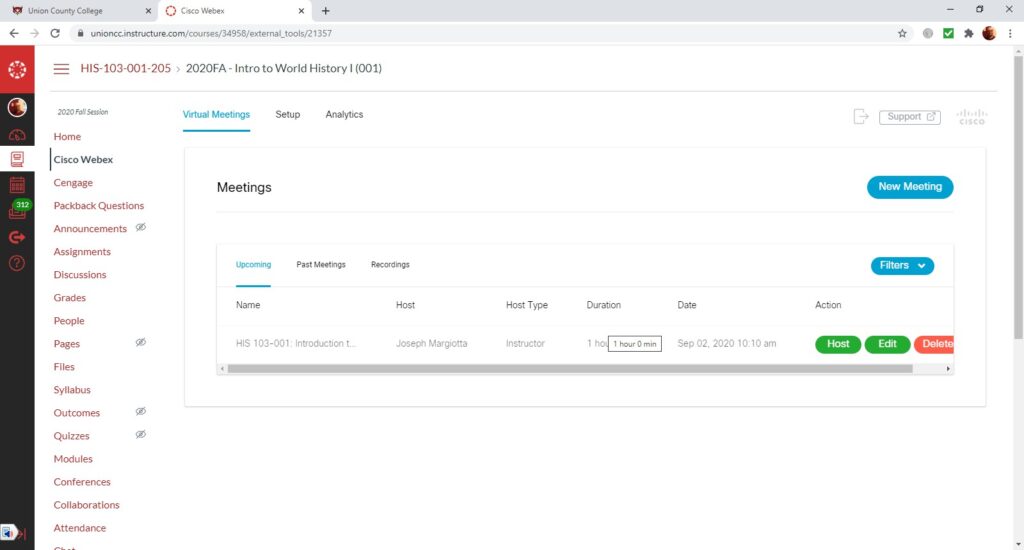
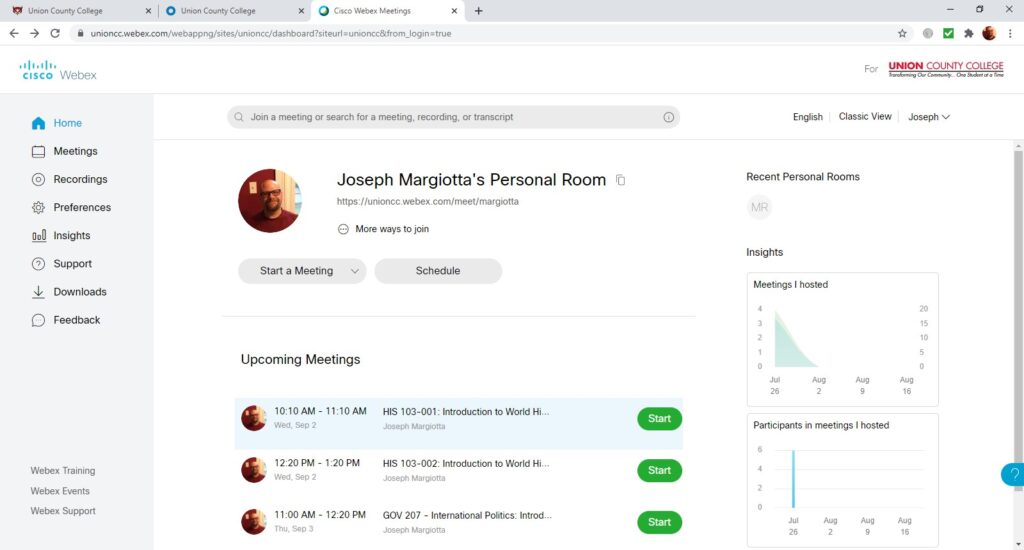
- Step 3: Login to my.ucc.edu and click on Cisco Webex

- Step 4: Click on the meeting you scheduled
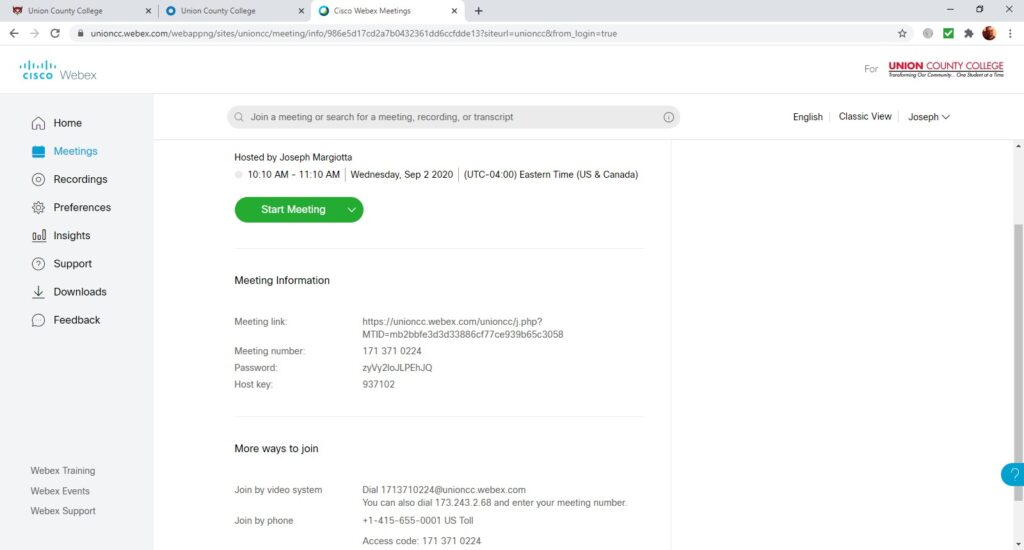
- Step 5: Retrieve Information such as Meeting Number and Host Key
- Step 6: Invite the Room as a participant under “Who is Invited?” on right of screen
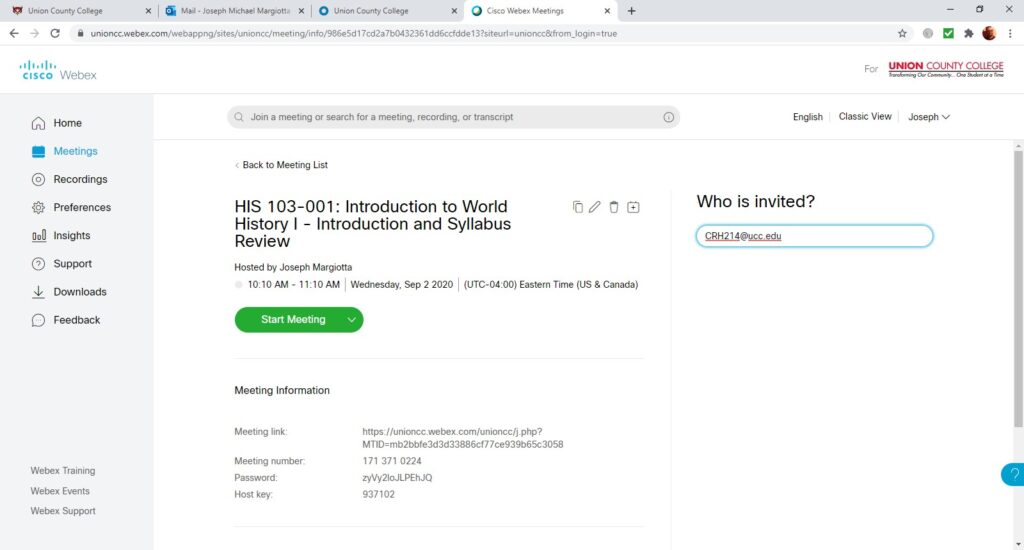
- You are now ready to proceed to your Cisco Room